
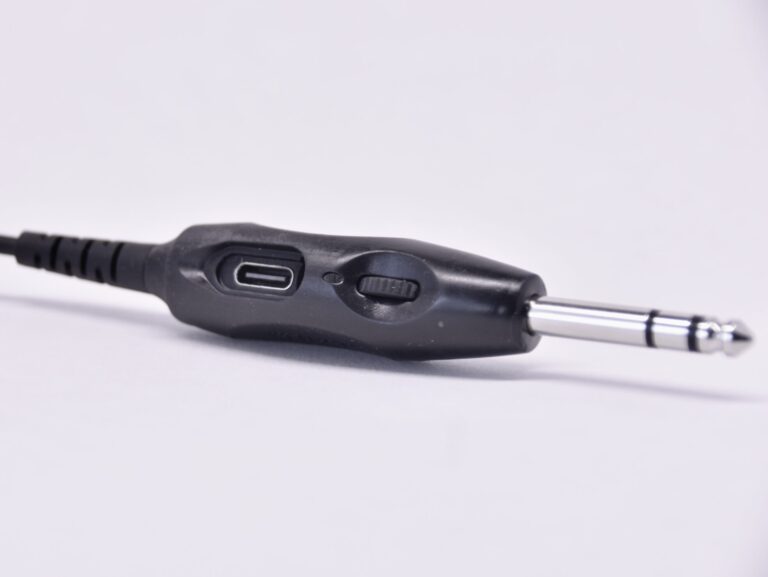
Volume control on the Avee510 GA adapter
The Avee510 GA aircraft adapter now comes with a built in volume control and a microphone gain adjustment feature.
Read more →News, stories and insights from the world of Avee.

Here are some tips for those of you using the Sony WH1000XM4 – brought to us by a customer using it in a Boing 737 Max-8. You find the full review in the Reviews dated November 7th 2021.
Thank you Stephane!
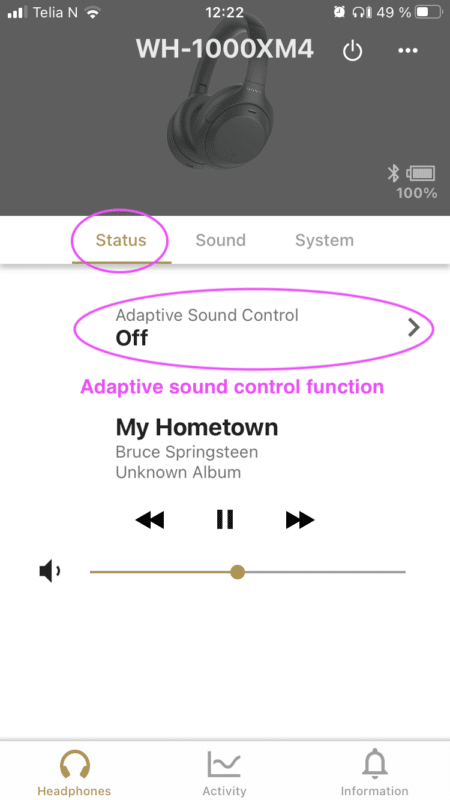
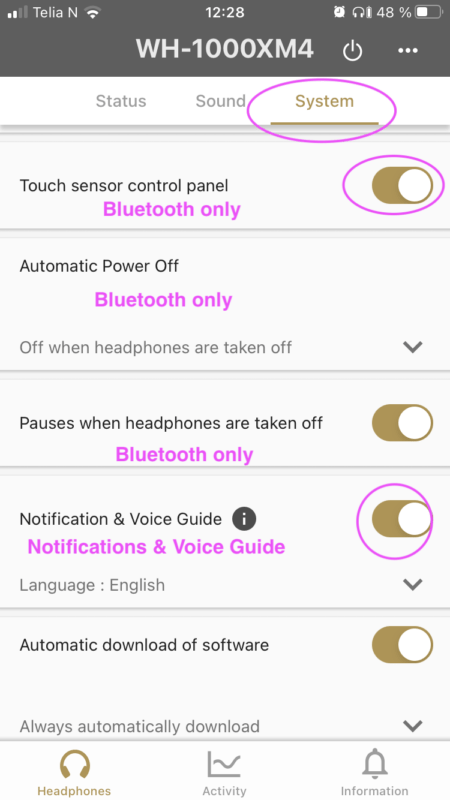
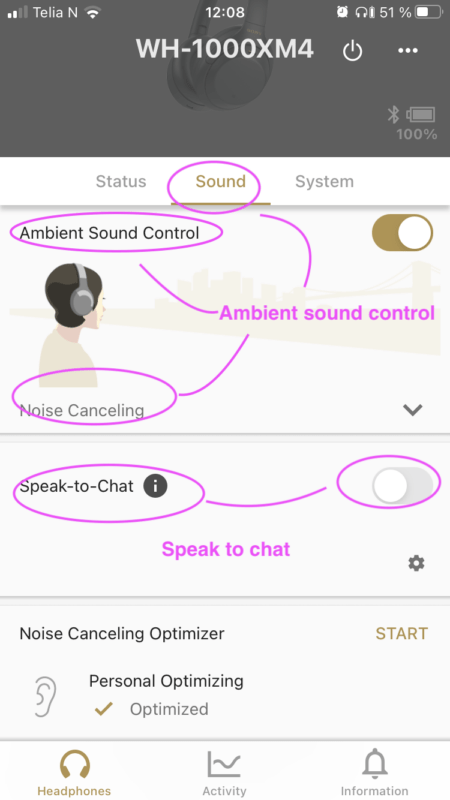
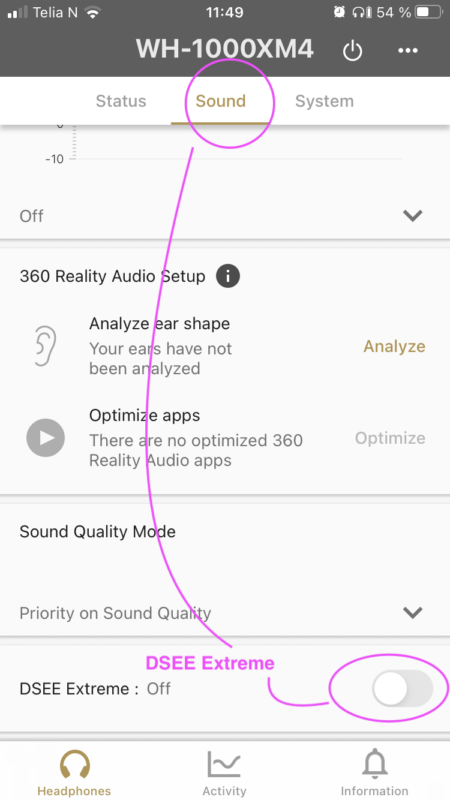
We bring you a sligtly modified & images added copy of these tips here. We find the settings in the Sony app somewhat akward – so we bring you screenshots here to make them easyer to find.
So: If you are using a Sony® XM4 headset, install the Sony® Headset Connect app on your phone and do the following:
1. Adaptive sound control
This setting will automatially switch headphone settings such as how to mix in the ambient sound.
Set the switch to OFF
2. Automatic Power Off
This feature is working in Bluetooth mode only.
It turnes the headphones off when they not been used ‘for some time’.
Set to ‘Off when headphones are taken off’.
3. Notification & Voice guide
Gives you some notifications messages on the status on the XM4.
Switch to ON
4. Touch sensor control panel
This function works when the XM4 is connected to your phone via Bluetooth only.
When the Avee is connected, the Bluetooth in the XM4 is switched off, and the touch sensor control panel is not operational.
Switch to ON or OFF
5. Ambient sound control
The Ambient sound control – controls how you hear ambient sound.
Set the Ambient Sound Control to on – and the Noise Cancelling slider to Noise Cancelling. If you set this slider to Abient Sound 1-20, you will get the ambient audio from the cockpit in the headset.
Set to On – and slider to Noise Cancelling
6. Speak to chat
This function disables the ANR when you start to talk, and it disconnects the audio from the Avee into the XM4.
It is crucial that this feature is turned off.
Turn OFF !!!
7. DSEE Extreme function
DSEE Extreme uses AI technology to reproduce with high accuracy the frequency responses of the original sound source lost during compression.
We believe this funtion is active in Bluetooth mode only.
Turn OFF
The Avee510 GA aircraft adapter now comes with a built in volume control and a microphone gain adjustment feature.
Read more →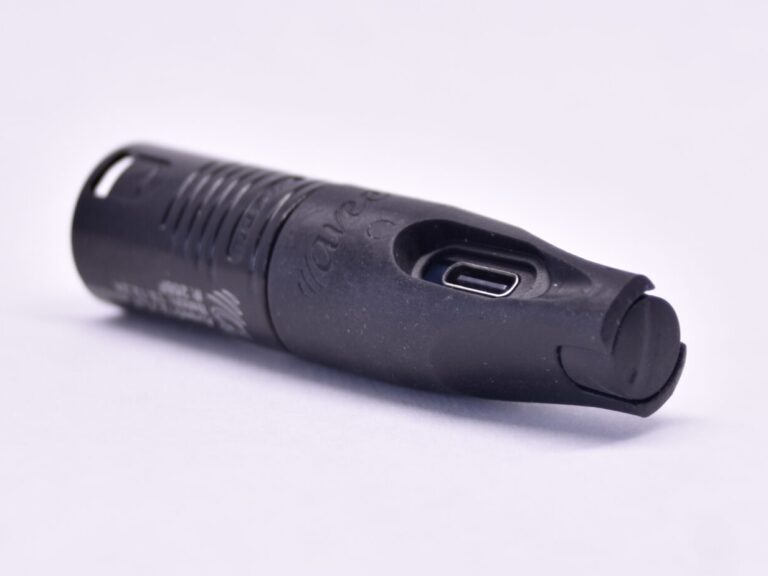
The XLR-5 aircraft adapter now comes with a built in volume control - and microphone gain adjustment.
Read more →
We are selling more and more- and that means we need a more efficient support system. Our new ticket based support system…
Read more →
We are happy to inform you that the beautiful French language is now available as spoken messages on the BlueLink. Download the…
Read more →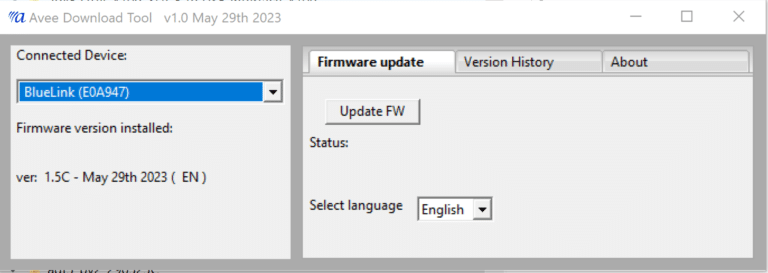
New software can now be downloded to the BlueLink via the Avee Download Tool (ADT).
Read more →
We have introduced new affiliate program for Youtubers & Facebookers! Take a look here!
Read more →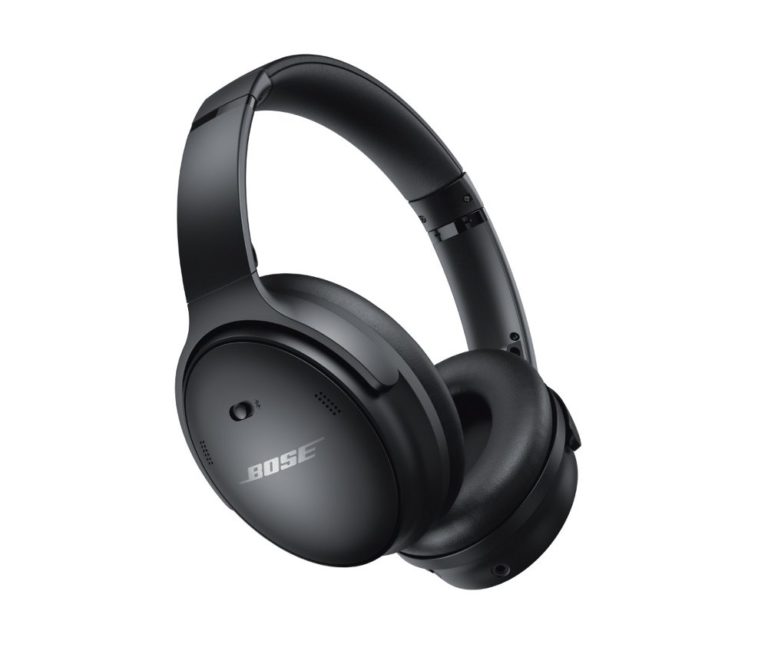
We are happy to inform you that the Avee45 fitting the Bose® QC45 also fits the 'new' Bose® Quietcomfort® SE. Available on…
Read more →For a long period of time, we have had the idea to do a test of the state-of-the-art ANR (acoustic noise cancellation)…
Read more →
What do you do if the Avee does not work like expected ? Most headsets have their secrets - and here we…
Read more →