
The Avee Bluelink – almost there
The Bluelink has most likely been our most complicated project ever – mostly because it is difficult to find simple solutions for something that is fairly complicated.
We are now finalizing it and will start shipping it in March. This year – for those of you who might feel the need to ask 😊.
.
From the previous versions of the Bluelink, we have changed – everything.
The main controller is changed from a very (extremely) power-hungry ESP32, to a SAMD21 controller. The Bluetooth circuitry is changed from the ESP32 built-in to something easier to control.
The way the Bluelink works, is however not changed: the side buttons are taken from the Bluelink generation 2, and the way the unit interacts with you is exactly the same way as on generation 2.
Here you have some of the main specifications & features for the Bluelink Ultimate III:
- Size is 38mm wide, 72mm high and 13mm deep.
- Weight is around 35 grams
- Communications method to phone and pad: Bluetooth
- Plugged on the cable system: The Bluelink can easily be attached & detached to your Avee system.
- Battery life: estimated to be more than 20 hrs playback time.
- Full stereo – regardless of the setting of the GA adapter or what is available in the aircraft.
- Failsafe operations: whenever the Bluelink is out of power, you will still be able to listen to your talkative co-pilot and talk to ATC.
- Configurations are done via the easy-to-use keyboard and high quality spoken audio messages from the Bluelink.
- The internal 600mAh li-po battery is charged via a source with an USB-C connector.
- The Bluelink can be operated while charging.
- Battery status messages are shown on your phone/pad, and can be heard as spoken messages.
- The Bluelink supports three different muting modes of the audio and it is very simple to switch between these mute modes:
- Level mute: the music you are listening to is turned down to a preset level when ATC / co-pilot audio is detected.
- Mix mute: ATC / co-pilot audio is mixed with the music you listen too.
- Audiobook mute: the music or audiobook you are listening to is paused whenever ATC or co-pilot audio is detected.
.
- Telephone support: telephone conversations are now supported. You will always hear your own voice – so no need for screaming.
The following modes are supported:- Open mode: the co-pilot hears you, and you hear the co-pilot. You can talk to ATC as normal.
Press the mode key to change mode to private mode.
. - Private mode: you hear the co-pilot, but the co-pilot can not hear you.
You can NOT talk to ATC in this mode.
Press the mode key to change mode to full private mode.
. - Full private mode:you do not hear the co-pilot and the co-pilot does not hear you.
You can NOT talk to ATC in this mode.
Press the mode key to change mode to return to open mode.
.
- Open mode: the co-pilot hears you, and you hear the co-pilot. You can talk to ATC as normal.
- Languages supported: English and French as standard, but in principle any language can be supported by the Bluelink.
All audio messages are stored as wav-files, and can easily be replaced.
. - Software upgrades
The software in the Bluelink can be updated by connecting the Bluelink to a Mac or PC via the USB cable.
The Bluelink will pop up as a disk drive, and the Bluelink software is simply updated but dragging a valid Bluelink software file over to the Bluelink disk drive.
Super simple and it works every time! - The software IDE
For those of you wondering, the Bluelink Ultimate software is developed using the Arduino Integrated Development Environment (IDE version 2.3.4).
Aero 2025 – Friedrichshafen
 We are going to Friedrichshafen again !
Aero Friedrichshafen is The Leading Show for General Aviation according to the fair.
And this year it will happen between April 09th and April 12th.
As usual, we are sharing a stand with Alphachocks from Switzerland.
You find them here on the web:https://www.alphachocks.com/
See all of us at stand A3-108 – that is in hall A3 not too far from where they sell the most delicious sausages.
New shipment option
Until now, we have been offering to send the Avee products using DHL or UPS.
Both these transporters are reliable and extremely fast, but the speed comes with a juicy price tag: Around EUR 30 to countries in Europe, and around EUR 35 to Canada and the US.
We are already offering to send tiny items like magnets and microphone windshields with the normal NON-TRACKED post, but the lack of tracking is not acceptable for many customers.
We are now introducing Standard Mail Tracked Shipment for all parcels up 1kg:
- EUR 12 for shipments up to 350 grams.
This is standard Avee Upgrade kit without the case. - EUR 18 or shipments up to 1kg/1000 grams.
This is standard Avee Upgrade kit with the case. - Standard Mail Tracked Shipment can be used for order up to €150.
The Standard Mail Tracked Shipment can be used for all countries in Europe in addition to Canada and the USA. (coming soon for Canada and USA)
The shipments can be tracked with your standard mail tracking (the same app/website as you are using for your national tracked mail).
Delivery time back to normal
After some weeks of working on scaling up and improving our production processes, we are now back to 1-3 days processing time on all new orders.
See the separate post for the Avee Bluelink!
We are also introducing a new affordable tracked shipment for most countries on the planet. See the separate post on this.
We have some lead time on shipments
We are grateful for the support from you customers with an increased number of orders.
This is however creating some tiny delivery time issues: expect 5-8 days lead time on new orders.
We are currently working on scaling up production to avoid lead times, however: this process will take some 3-5 weeks to complete.
Reduced shipment costs to Canada
Due to the recent events in the U.S.A, we have decided the following:
- We are reducing the purchase amount to get free DHL shipping to Canada: from EUR 400 to EUR 245.
- We are reducing the normal DHL shipping charge to Canada from EUR 39 to EUR 29.
. - Orders from Canada which are not shipped from us yet, will get a shipment refund (if applicable).
The Christmas celebration 2024
We are celebrating Christmas and the end of the year 2024 ! We will be closed until January the second.
- Use the coupon code “Celebration2024” to get a 15% discount, on all products, in addition to a free headset case with your purchase. (Avee microphone kit)
- We have also reduced the amount needed to get free shipping for many countries.
- Please remember that existing customers can upgrade their products at a reasonable price.
.
Thanks a lot for all your support throughout this year!
Lorem ipsum dolor sit amet, consectetur adipiscing elit. Ut elit tellus, luctus nec ullamcorper mattis, pulvinar dapibus leo.
Volume control on the Avee510 GA adapter
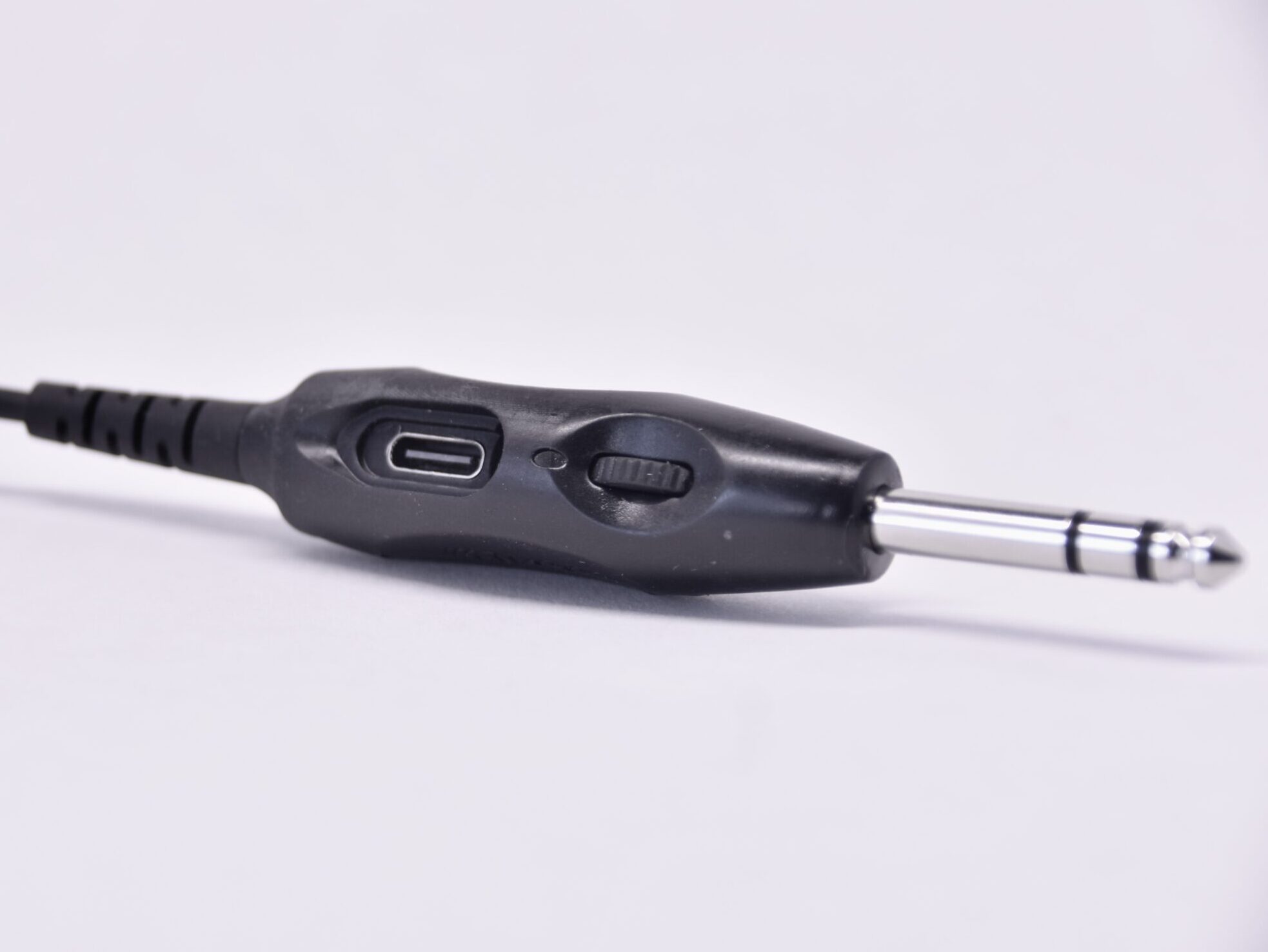 The Avee510 GA aircraft adapter now comes with a built-in headset volume control and a microphone gain adjustment possibility.
The reason for adding the headset volume control on the Avee510 GA adapter, is that some headsets (like all Sonys and the Bose QC25 and QC35) do not have a built-in adjustment feature.
On larger aircraft like Boeing and Airbus, the pilot cannot adjust the volume level on callouts, so they can be annoyingly high without an adjustment possibility. This issue is now solved.
On small aircraft, the radio volume level is often common for the left and right seats, and missing the adjustment possibility can be annoying.
It is a fact that headsets from different suppliers ( David Clark, Lightspeed, and Bose A20/30) do not have the same earphone output volume so an adjustment possibility comes in handy.
We recommend that pilots using the Avee with a headset that has a built-in adjustment feature crank up the volume to max on the headset and make adjustments from the Avee aircraft adapter instead.
This is to avoid as much of the annoying tin can feature on your own voice (which some pilots experience) when talking.
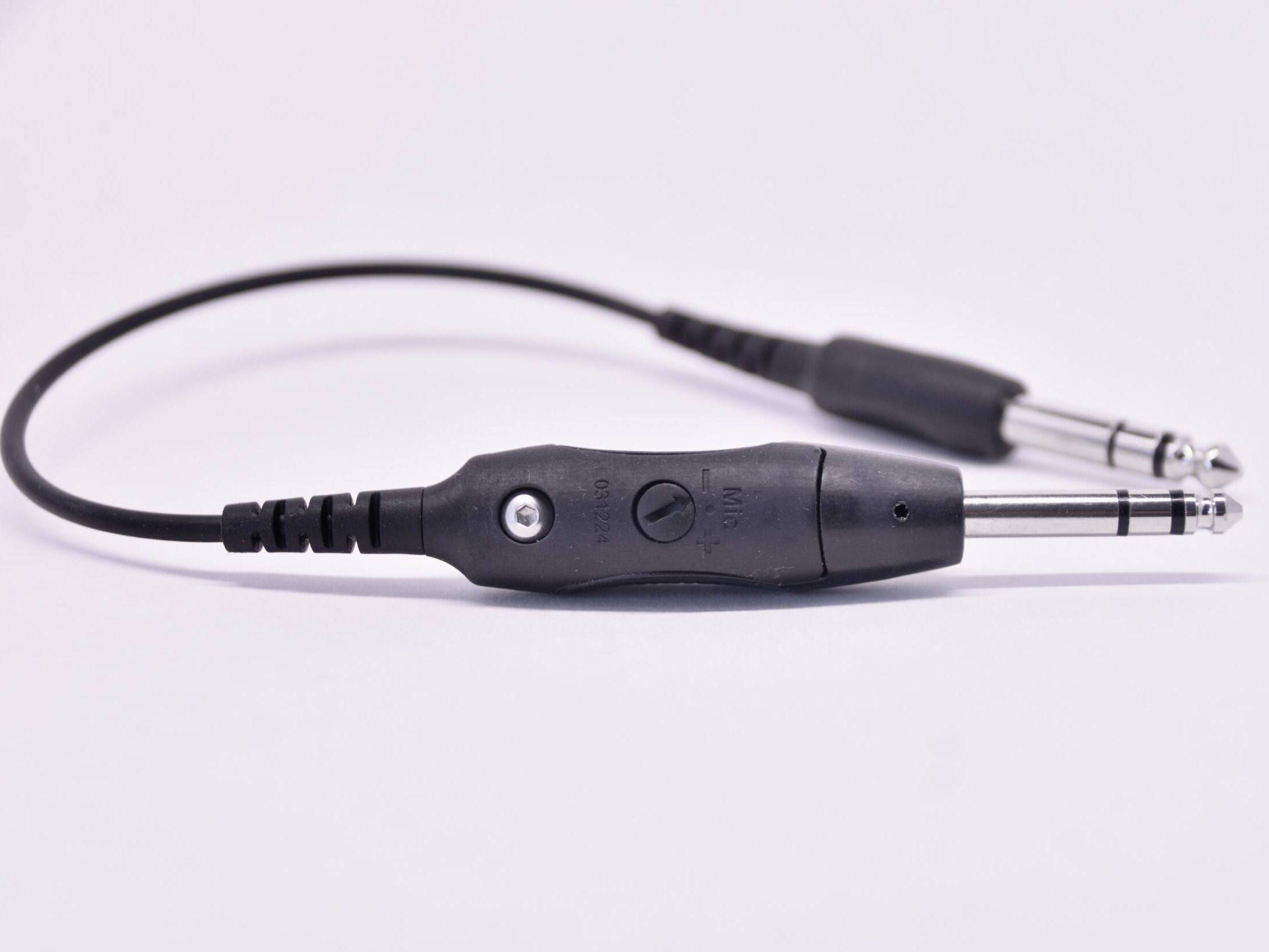 The mic gain adjustment that can be operated with your thumb-nail or a credit card, must be handled with great care: setting the output volume to high will make the microphone pick up more noise from the cockpit.
The default setting (arrow point right up) works well for 99.87% of the users.
Volume control on the Avee512 XLR-5 adapter
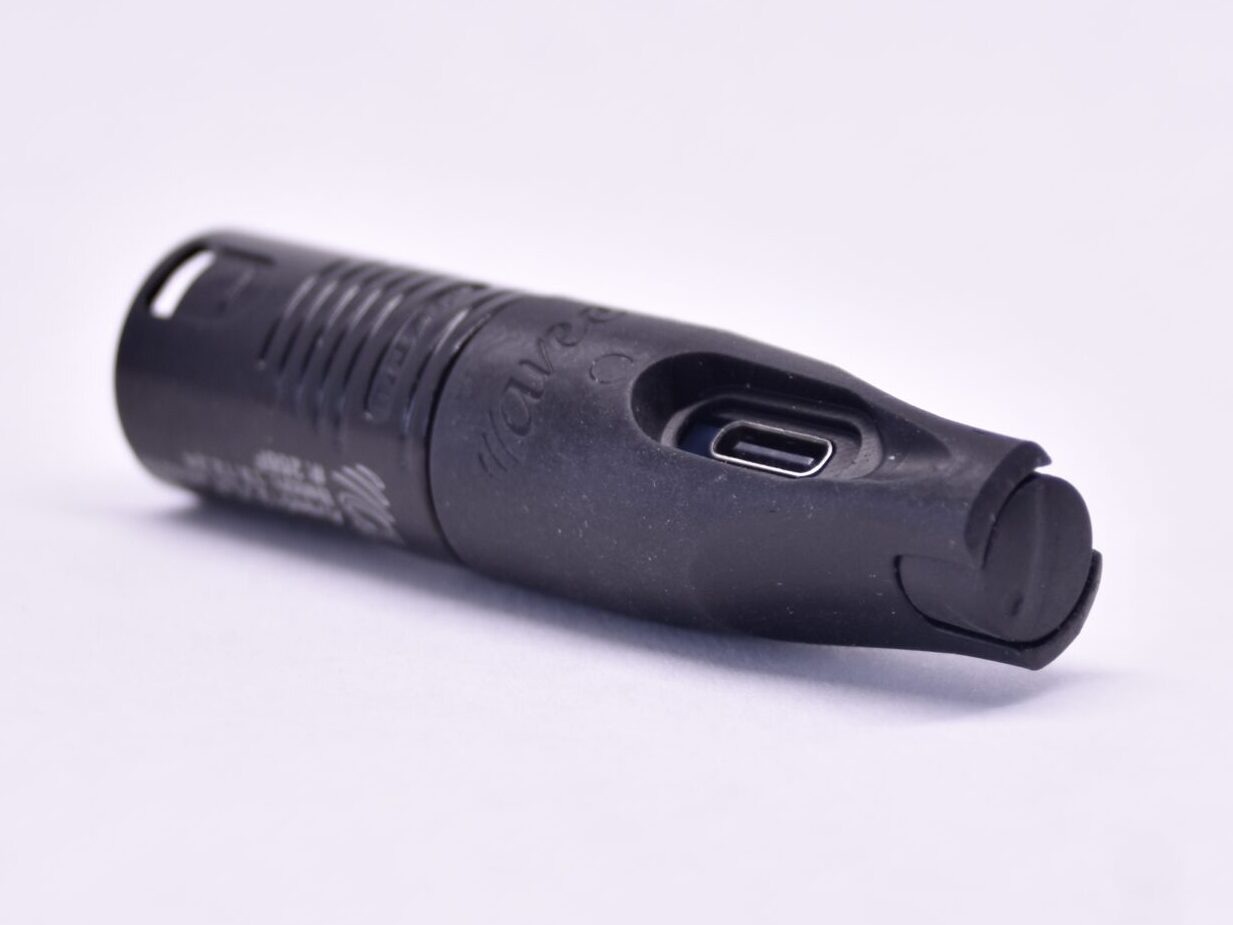 The Avee512 XLR-5 aircraft adapter now comes with a built-in headset volume control and a microphone gain adjustment possibility.
The reason for adding the headset volume control on the Avee512 XLR-5 adapter is that some headsets (like all Sonys and the Bose QC25 and QC35) do not have a built-in adjustment feature.
On larger aircraft like Boeing and Airbus, the pilot cannot adjust the volume level on callouts, so they can be annoyingly high without an adjustment possibility. This issue is now solved.
On small aircraft, the radio volume level is often common for the left and right seats, and missing the adjustment possibility can be annoying.
It is a fact that headsets from different suppliers ( David Clark, Lightspeed, and Bose A20/30) do not have the same earphone output volume so an adjustment possibility comes in handy.
We recommend that pilots using the Avee with a headset that has a built-in adjustment feature crank up the volume to max on the headset and make adjustments from the Avee aircraft adapter instead.
This is to avoid as much of the annoying tin can feature on your own voice (which some pilots experience) when talking.
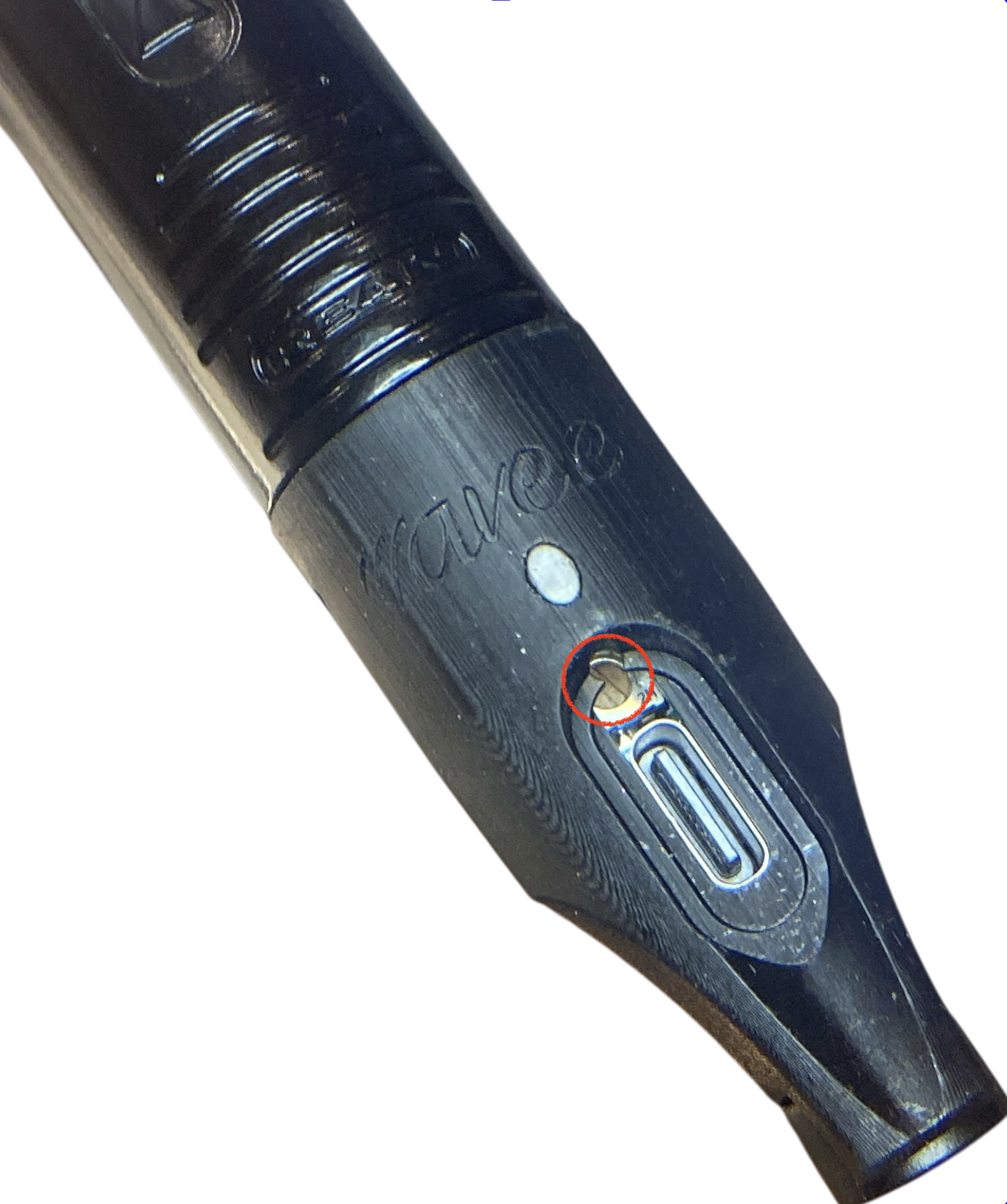
The mic gain adjustment that can be operated with a flat screwdriver, 1.6 X 50, it must be handled with great care: setting the output volume too high will make the microphone pick up more noise from the cockpit.
The default setting works well for 99.87% of the users.